
Cybersecurity
Why Old Employee Accounts Are Still a Security Risk After Someone Leaves the Company

Why Old Employee Accounts Are Still a Security Risk After Someone Leaves the Company by Todd Moss
When an employee leaves, there are plenty of practical details to handle: final paperwork, equipment, files, responsibilities, and the handoff to whoever takes over their work. Technology access can easily become one more item that everyone assumes someone else completed.
The security issue is not that a former employee should automatically be considered a threat. It is that an identity the business no longer needs may still be accepted by its systems. Good cybersecurity treats access as something that should change with the business, balancing security with usability and continuously reviewing who and what still needs access.
An employee's departure should therefore trigger more than the closure of an email inbox. It should trigger a deliberate review of the identity, permissions, devices, applications, data, and connections associated with that person.
Why are old employee accounts a cybersecurity risk?
Old employee accounts create risk because they may remain valid identities even after the person no longer has a business reason to use them. A dormant account can still have credentials, permissions, active sessions, application connections, or administrative rights. If nobody needs the account anymore, keeping that access available creates additional exposure without providing a business benefit.
That distinction matters. The problem is not primarily who used to own the account. The problem is what the account can still do.
If an attacker obtains credentials for an overlooked account, the former employee does not need to participate. The system may simply see a valid username, password, token, session, or other accepted identity and grant whatever access is still attached to it.
This is why employee departures belong in identity and access management. Identity and access management, often shortened to IAM, is the process of controlling identities, how they prove who they are, and what they are permitted to access.
A useful way to think about the lifecycle is:
Join → Change → Leave → Verify
People receive access when they join. That access changes as their responsibilities change. It should be removed or transferred when they leave. Then someone verifies that the intended changes actually happened.
That final step is easy to overlook.
An unused account is not necessarily an unusable account
There is an important difference between an account that nobody is legitimately using and an account that cannot be used.
A dormant account is generally an account that has seen little or no legitimate activity for a period of time. Depending on the system, it may still have valid credentials, belong to security groups, access files, hold application permissions, maintain active sessions, or carry administrative privileges.
Nothing about inactivity automatically removes those capabilities.
Imagine a hypothetical employee who leaves after working in operations. Their main company account is disabled, but a separate project-management account created two years earlier remains active. Nobody is intentionally using it anymore, but the application still recognizes the username and password and still gives the account access to several projects.
The business has not gained anything by keeping that account available. It has simply retained another identity that the application is willing to accept.
Dormant accounts can also be harder to notice precisely because legitimate activity is no longer expected from them. With a current employee, unusual behavior may stand out to the employee, their manager, or someone working alongside them. An old identity may receive much less attention.
That does not mean every inactive account should immediately be deleted. Some legitimate accounts are used infrequently. A financial account might only be needed at certain reporting periods, for example, while a specialized administrative identity may exist specifically for occasional tasks.
Low activity should prompt a question, not automatically determine the answer: Does this identity still have a legitimate business purpose?
If the answer is yes, keep and manage it appropriately. If the answer is no, there is usually little reason to preserve its access.
Why former employee access gets overlooked
Most stale accounts are better understood as process problems than people problems.
Businesses rarely adopt every application at once according to one perfectly designed technology plan. Tools accumulate gradually. One department adds a project platform. Finance introduces another service. Marketing starts using a publishing tool. A manager creates an account for a new employee because a project needs to begin that morning.
Over time, the organization can end up with many identities spread across systems that are managed in different ways.
HR may know exactly when an employee's final day is but have no visibility into every application the employee used. IT may manage the main company identity but not know about a SaaS product purchased directly by another department. A manager may know which project folders matter but assume IT automatically controls them.
None of those people necessarily made a bad decision. The process simply did not connect all the information.
The same issue can appear when contractors become employees, employees move between departments, temporary projects become permanent operations, or software that started as a small team tool becomes important to the whole business.
This is why access management works better as a lifecycle than a series of isolated requests. The same principles we use when thinking about managing contractor and freelancer technology access apply here: plan the access, provision it deliberately, verify it, review it as responsibilities change, and revoke it when the working relationship ends.
A reliable process reduces dependence on somebody remembering every account from memory.
Disabling email is important, but it may not complete the offboarding
For many organizations, the primary Microsoft 365 or Google Workspace account is the obvious place to begin. Disabling that identity can cut off email and other services tied directly to it.
But the employee's technology footprint may be larger than that primary account.
A person may also have access to file storage, a CRM, accounting software, a project-management platform, a password manager, remote access, website administration, social media, marketing tools, HR systems, cloud infrastructure, code repositories, business intelligence tools, or specialized applications used only by their team.
Some of those systems may use the company's central identity. Others may not.
This difference matters because centralized authentication can make offboarding considerably easier. If an application uses the company's single sign-on system, disabling the central identity may stop the person from authenticating to that application.
A standalone account can behave differently.
Consider a hypothetical employee whose Microsoft 365 account is disabled on their final day. Their CRM login, however, was created separately using an email address and its own password. If the CRM does not depend on Microsoft 365 to authenticate the user, disabling Microsoft 365 does not necessarily disable that CRM account.
The email address and the CRM identity may look connected to a person. Technically, they can still be separate access paths.
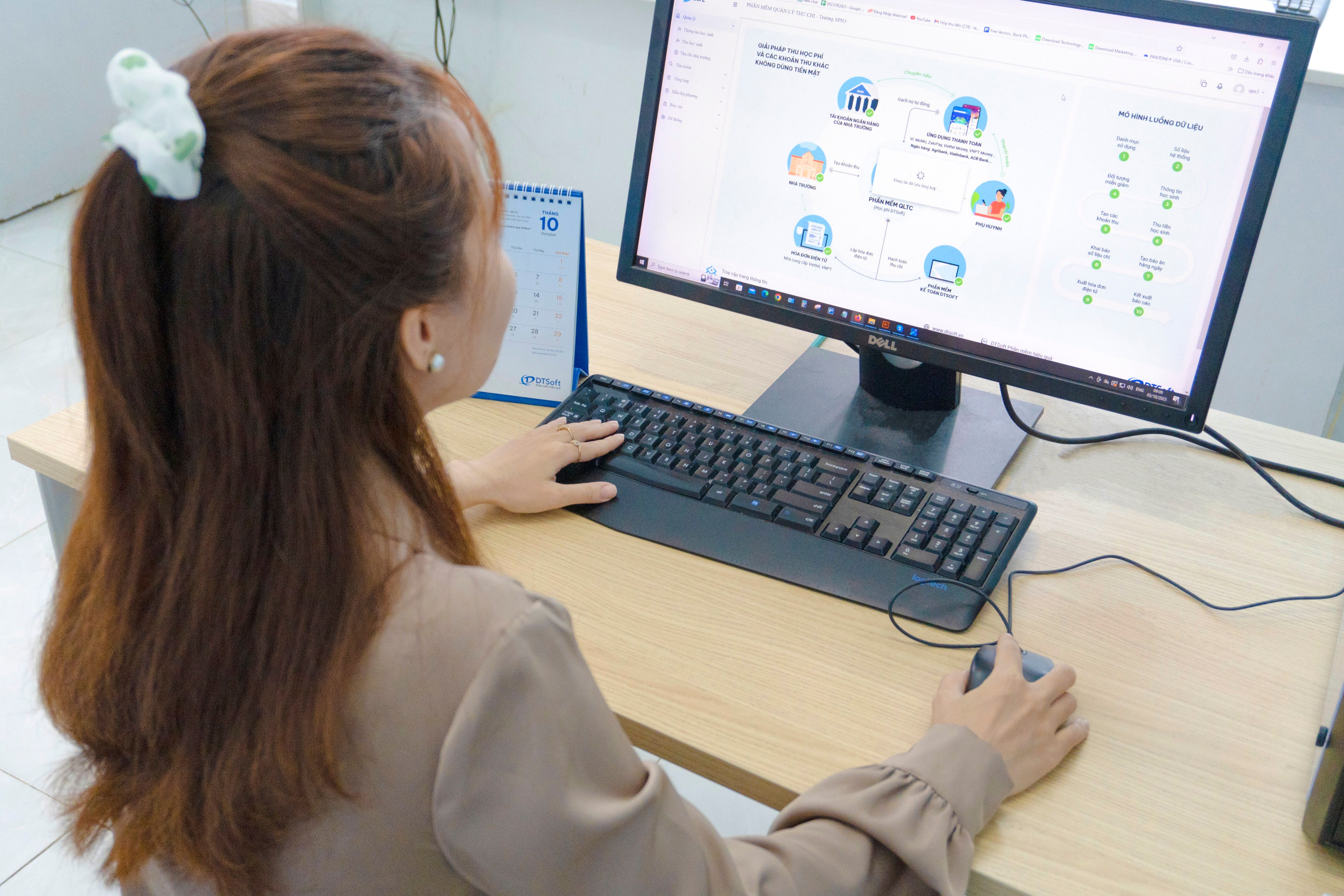
Clear visibility into business systems and user access makes it easier to identify permissions that should be changed or removed during employee offboarding.
Authentication and authorization answer two different questions
Two concepts make this easier to understand: authentication and authorization.
Authentication asks, "Are you the identity you claim to be?"
A password, security key, authenticator application, or single sign-on process can help a system answer that question.
Authorization asks, "What is this identity allowed to do?"
An authenticated user might be authorized to read one folder, edit a project, export customer records, manage billing, or administer the entire application.
Offboarding has to consider both.
Stopping authentication to one system does not necessarily remove authorization elsewhere. A separate application may still recognize its own account. A guest identity may still have folder permissions. An integration may still possess an authorization token. A shared credential may still work even though the employee's individual account has been disabled.
This is one reason a complete access picture matters more than simply checking whether an email mailbox was turned off.
Privileged accounts deserve extra attention
Not every old account carries the same level of risk.
An ordinary user account might be able to read email, work with documents, and use several business applications. An administrative or privileged account may be able to create users, reset passwords, change permissions, alter security settings, add integrations, or access information across the organization.
An unnecessary administrative identity therefore deserves particular attention during offboarding and access reviews.
This is where least privilege becomes useful. Least privilege means giving people the access they need to perform their current responsibilities without leaving additional permissions attached indefinitely.
Permissions naturally change over time. Someone may receive temporary administrative access to complete a migration. A manager may be added to a sensitive group while covering for another employee. A developer may receive elevated access for a particular project.
The problem is not granting additional access when the work requires it. The problem is allowing temporary access to quietly become permanent.
CISA recommends auditing accounts, removing inactive or unnecessary accounts, limiting administrative privileges, and routinely reviewing permissions. Its guidance also specifically notes removing accounts and credentials associated with former staff when appropriate. CISA's guidance on auditing accounts and limiting unnecessary privileges connects account cleanup directly with reducing unnecessary access.
This should be proportionate. A departing employee who only used a few standard applications does not require the same review as someone who administered identity systems, cloud infrastructure, financial platforms, or security controls.
The principle is simple: the more powerful the account, the more important it is to verify that access was actually removed.
SaaS makes access easier to create and harder to see
Cloud software has made it remarkably easy for teams to adopt useful technology. That flexibility also changes the access-management problem.
A growing business may have dozens of SaaS applications introduced at different times and by different teams. Some use single sign-on. Some have standalone passwords. Some are managed centrally. Others were originally purchased by one employee using a company card.
This creates what we might call shadow access: legitimate business access that exists outside the organization's normal identity-management process.
The application itself may be perfectly legitimate. The problem is visibility.
If nobody knows an account exists, nobody is likely to include it in offboarding.
This does not mean every organization needs an expensive SaaS-management platform. A smaller business may be able to solve much of the problem with a maintained inventory of significant applications, their business owners, their administrators, and the way users authenticate.
The goal is not to catalog every website an employee has ever visited. Focus on applications that hold business information, control important processes, provide administrative capabilities, handle sensitive data, or connect to other systems.
Someone should also know who owns each important application from the business side. Technical administrators can remove accounts, but they may not know whether a particular system is still required or who needs to inherit the departing employee's responsibilities.
Access to files can outlive access to an inbox
Accounts are only part of offboarding. Business information needs attention too.
A departing employee may own documents, administer shared folders, have direct invitations to sensitive files, or maintain information inside a personal workspace. Some files need to be transferred to another employee before an account is removed.
Security should not destroy business continuity.
Deleting an identity without first understanding what it owns can create a different problem. Important records can become difficult to locate. Automations may fail. Other employees may lose access to files that were owned by the departing user.
At the same time, preserving business data does not require preserving the former employee's access to it.
A sensible process separates those two goals: keep the information the business needs and remove access the person no longer needs.
Direct permissions deserve attention here. A user might have been invited individually to a folder rather than receiving access through their main company group. An externally shared link may also remain available independently of the employee's normal account.
The specific behavior depends on the platform, which is why offboarding should examine the systems that actually matter rather than rely on assumptions about what disabling the main identity will accomplish.
Devices and sessions are part of the access picture
A user account is not the only place where access can persist.
Company-issued laptops, personal devices used for work, mobile phones, browsers, VPN connections, and local copies of business information can all affect what happens after someone leaves.
A person may have authenticated previously and still have an active session. A browser may remember authentication. A managed laptop may contain synchronized files. A mobile application may still be connected to a business account.
Modern authentication systems can also use tokens. In simple terms, a token is a digital proof that an application has already authenticated a user or received permission to perform an action. Depending on the platform and configuration, changing a password does not always have the same effect as deliberately revoking existing sessions or tokens.
That is why "we changed the password" should not automatically be treated as equivalent to "access has ended."
The practical question for leadership is less technical: Can the organization reasonably prevent continued access from devices and sessions associated with the person who left?
For company equipment, that may include recovering or remotely managing the device. For personal devices, the options depend on how the business designed its device and access policies in the first place.
Good offboarding becomes much easier when those expectations were established during onboarding.
Integrations can survive the person who created them
Modern business applications constantly connect to one another.
Someone may connect a calendar to a scheduling platform, authorize cloud storage inside another application, connect an automation tool to a CRM, install a browser extension, or authorize a third-party service to interact with company data.
Those connections can use tokens or application permissions rather than repeatedly asking for the person's password.
An integration is not automatically a security problem. Many are useful and necessary. The question during offboarding is whether the integration still has a legitimate owner and business purpose.
Suppose, hypothetically, an employee created an automation that moves information between two business applications. The employee leaves, but the automation remains essential to an operating process.
Simply breaking the integration may interrupt the business. Leaving it indefinitely attached to an old personal identity is not ideal either.
The better outcome is to identify the integration, determine whether it is still needed, and transfer it to an appropriate company-controlled identity or owner where the technology permits.
Business-critical processes should not quietly depend forever on an account belonging to someone who is no longer part of the organization.
Shared accounts make clean offboarding harder
Shared credentials create a different problem.
If five people know the same username and password, the application cannot necessarily distinguish which person is using them. When one of those people leaves, disabling their personal identity does nothing to a credential they shared with everyone else.
The business may need to rotate the password and update the remaining authorized users.
Where applications support individual identities, individual accounts are usually easier to manage because access can be granted and removed person by person. They also provide clearer accountability for activity.
Sometimes shared credentials genuinely cannot be avoided because of limitations in a particular system. In those cases, a properly managed business password manager can help control storage and distribution. Passwords should not be passed around through ordinary email, chat messages, or spreadsheets.
The broader lesson is that offboarding quality depends partly on how access was designed in the first place.

A clear offboarding process connects the end of a working relationship with the timely transfer of responsibilities and removal of unnecessary system access.
Build the offboarding process before the next person leaves
The easiest time to design offboarding is when nobody is actively leaving.
A rushed departure is a poor moment to discover that nobody knows which applications exist, who owns them, or whether the departing employee created an important business account under an individual identity.
A reasonable process does not need to be enormous. It needs to connect the people who know different pieces of the situation.
For most organizations, the process should establish:
The departure trigger and effective time. Someone needs to tell the person responsible for technology access that the relationship is ending and when access should change. HR, management, operations, and IT should not be working from different dates.
The access and information review. Identify the important systems, privileged roles, files, devices, integrations, and business assets associated with the user. Preserve what the business needs before removing access.
Revocation and verification. Disable the relevant identities, remove unnecessary permissions, address sessions and devices where appropriate, transfer ownership, and confirm that the important changes actually occurred.
This is account lifecycle management in practical terms.
The process begins when an identity is created, not when it is deleted. Access should follow the person's relationship with the business and their current responsibilities.
That applies to employees, contractors, interns, temporary staff, administrators, and anyone else with a business identity.
Offboarding needs an owner
A process without ownership can still fail even when everyone understands what should happen.
Who owns offboarding depends on the organization. It might be internal IT, operations, a founder, an administrator, or an outsourced IT team. Often, several people need to participate.
HR usually knows when the employment relationship ends. A manager understands the work that must be handed over. IT understands how identities, devices, applications, and permissions are managed.
Good offboarding connects those pieces.
The job title is less important than clarity. Someone needs responsibility for making sure the process moves from "this person is leaving" to "the required access changes have been completed and verified."
At 24hourtek, this is why we think about identity, devices, access, cloud applications, and day-to-day IT management as connected systems rather than isolated technical tasks. After more than 21 years working with business technology, one recurring lesson is that repeatable ownership tends to be more dependable than relying on somebody to remember the right steps at the right moment.
Verify the result, not just the request
There is a meaningful difference between requesting offboarding and completing offboarding.
"Please disable this user" is an instruction.
It is not confirmation.
A reliable process includes a point where someone verifies that the important access actually changed. The depth of that verification should reflect the person's role and the systems they could access.
A standard employee might require confirmation that their primary identity, important applications, remote access, and managed devices were addressed. Someone with broad administrative privileges may justify a deeper review of privileged groups, cloud platforms, integrations, recovery methods, and business-critical accounts.
Verification can also uncover surprises.
Perhaps an application account was not connected to single sign-on. Perhaps an old administrator identity still belongs to a privileged group. Perhaps a shared credential needs to be rotated. Perhaps an automation cannot be disabled until ownership is transferred.
Finding those issues during verification is not evidence that the process failed. Verification is part of the process precisely because real technology environments are imperfect.
Regular access reviews catch the drift between departures
Offboarding handles a known event. Access reviews handle everything that changed quietly in between.
Employees move between roles. Managers change. Temporary permissions remain. Guest users finish projects. New applications appear. Old applications become more important. Administrator rights granted for a short-term task can remain for months or years unless somebody checks.
An access review asks whether the current access still matches the current business need.
That review might look for former users who remain active, guest identities that no longer have a sponsor, administrative accounts that no longer need elevated rights, applications without a clear owner, or permissions that no longer match someone's responsibilities.
The purpose is not bureaucracy. It is catching drift.
This is also useful when the business needs to describe or document its security controls. Our guide to cyber insurance readiness and reviewing cybersecurity controls discusses why identity, administrator privileges, onboarding, offboarding, and access reviews are easier to verify when they are part of normal operations rather than reconstructed for a questionnaire.
How often a review should occur depends on the environment. A company with a small, stable team and a handful of applications may not need the same cadence as a fast-changing organization with many cloud systems and privileged users.
More important than choosing an arbitrary interval is assigning ownership and making the review repeatable.
Zero Trust does not mean distrusting employees
"Zero Trust" is an unfortunate phrase if it is interpreted as a statement about people.
It does not mean assuming employees are dishonest. It is an approach to access in which a system does not grant broad or permanent trust simply because an identity has already been accepted somewhere else.
NIST's Zero Trust Architecture describes Zero Trust as focusing on protecting resources and continually evaluating access rather than granting implicit trust based on network location. It also emphasizes restricting resources to those with a need for access and granting the minimum privileges required.
Employee departures are a straightforward example of why that idea is useful.
Yesterday, an employee may have had a legitimate reason to access customer records, company files, financial information, or administrative tools. After their role ends, that legitimate need changes.
The technology should change with it.
Least privilege works the same way. It does not mean giving employees so little access that they cannot do their jobs. It means matching access to current responsibilities and removing permissions that are no longer necessary.
Both ideas lead back to the same operational principle: access should exist because there is a current business reason for it, not because it was granted once and never revisited.
A practical way to think about former employee access
Business leaders do not need to personally administer every account to improve this area of cybersecurity.
They do need to know whether the organization can answer a few basic questions.
Who tells the responsible person when someone is leaving? Who knows what systems that person could access? Who preserves important business information? Who removes the access? Who checks that it was actually removed?
If the answers depend entirely on one person's memory, that is the process to improve.
Start with the systems that matter most. Understand how identities are created and authenticated. Know where administrative privileges exist. Keep reasonable visibility into significant SaaS applications. Decide how devices and shared credentials are handled. Establish ownership for departures.
Then review access periodically to catch what the normal process missed.
None of this eliminates cybersecurity risk. Accounts can still be compromised. Systems can be misconfigured. People can make mistakes. Applications can behave differently than expected.
The purpose of access management is to reduce unnecessary exposure.
An identity that no longer serves a legitimate purpose is a good example. Removing it does not make the organization perfectly secure. It simply closes a path that no longer needs to exist.
That is what mature security often looks like in practice: not dramatic warnings or one-time projects, but ordinary business processes that keep technology aligned with who actually needs it.
About 24hourtek
24hourtek, Inc is a forward thinking managed service provider that offers ongoing IT support and strategic guidance to businesses. We meet with our clients at least once a month to review strategy, security posture, and provide guidance on future-proofing your IT.